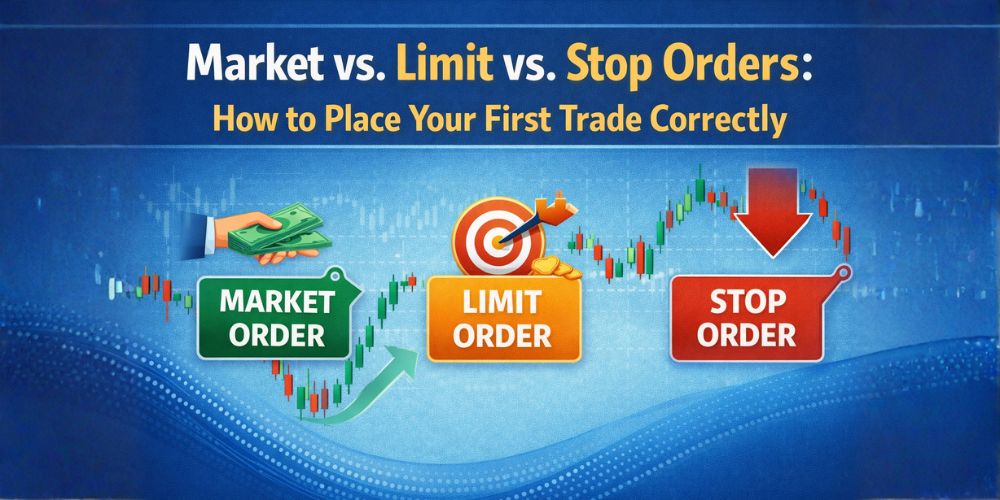
Market vs. Limit vs. Stop Orders: How to Place Your First Trade Correctly
So, you have opened your trading platform, you have analyzed the chart, and you have decided on your Lot Size. You are ready to press the button. But then you see a dropdown menu with confusing options: Market Execution, Buy Limit, Sell Stop, Buy Stop...
Which one do you choose? If you click the wrong one, you might enter the market at a much worse price than you intended, or worse you might buy when you meant to sell. In this guide, we will decode the different types of Trading Orders. We will explain the difference between buying "now" vs. buying "later," and give you a cheat sheet so you never mix up a "Limit" and a "Stop" again.
The Two Main Categories: "Now" vs. "Later"
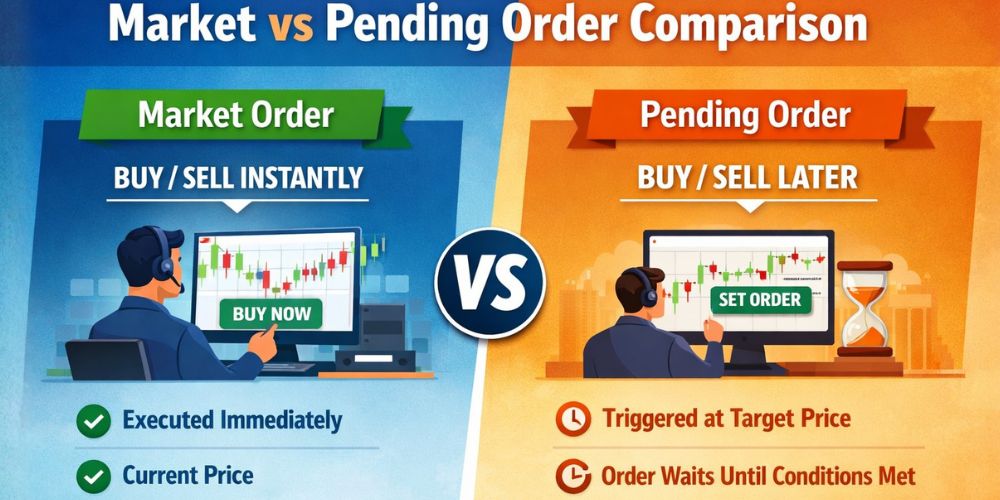
To keep it simple, all trading orders fall into two buckets:
- Market Execution: "I want to buy right NOW at whatever the current price is."
- Pending Orders: "I want to buy LATER, but only if the price reaches a specific level."
Let’s break them down. If you are new to this, our Trading Academy offers more foundational knowledge.
1. Market Execution (The "Now" Order)
This is the most common order type for beginners. When you hit "Buy" or "Sell" on your screen, you are telling your broker: "Get me into this trade immediately, I don't care if the price changes slightly."
- Pros: Guaranteed entry. You will definitely get into the trade.
- Cons: Slippage. In the milliseconds it takes to send your order to the server, the price might change. You might see the price at 1.1050, but your trade opens at 1.1052.
Check our Platform Overview to see how fast our execution speeds are.
2. Pending Orders (The "Later" Orders)
Pending orders are instructions you leave with your broker. You can go to sleep, and if the price hits your target level while you are dreaming, the system will automatically open the trade for you. Whether you are trading Forex, Stocks, or Crypto, these orders work the same way.
A. The Limit Orders (For Reversals)
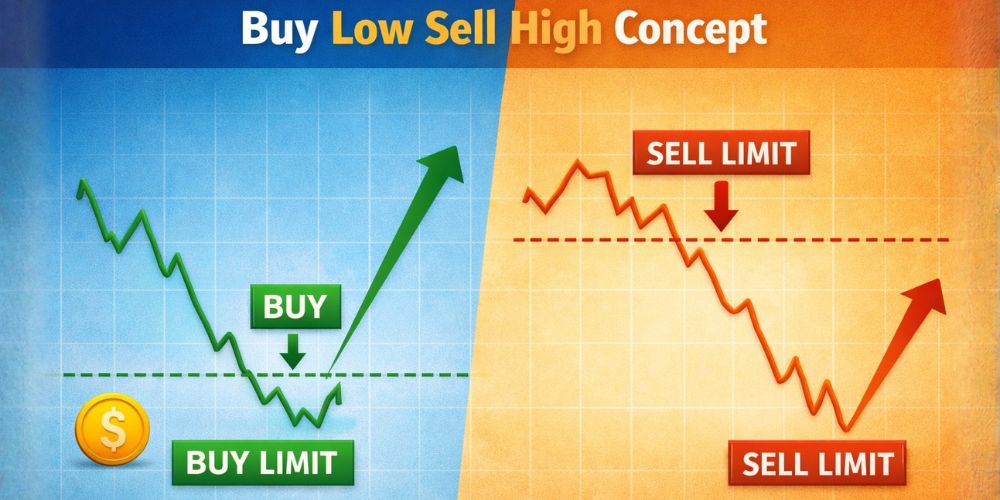
Use these when you think the price will bounce. You want to get a better price than the current one.
The current price is HIGH. You think it will drop down to a "discount" level and then bounce back up. You place a "Buy Limit" below the current price.
Mantra: "Buy Low."
The current price is LOW. You think it will rise up to a "resistance" level and then fall back down. You place a "Sell Limit" above the current price.
Mantra: "Sell High."
Analogy: You want to buy a new iPhone. It currently costs $1,000. You tell the store manager: "Call me if the price drops to $900. I will buy it then." This is a Buy Limit.
B. The Stop Orders (For Breakouts)
Use these when you think the price will continue in the same direction. You are willing to enter at a worse price to confirm the trend, which is a common strategy in Indices trading.
The price is rising. You want to buy, but only if it breaks above a certain ceiling (resistance). You place a Buy Stop above the current price.
Logic: "If it breaks this roof, it’s going to the moon."
The price is falling. You want to sell, but only if it breaks below a certain floor (support). You place a Sell Stop below the current price.
Logic: "If it breaks this floor, it’s going to crash."
Cheat Sheet: Which One Do I Use?
Memorize this simple table to make decisions instantly (and check our Trading Conditions for more details on spreads):
| Current Price is... | You want to... | You expect price to... | Use Order Type: |
|---|---|---|---|
| Above you | SELL | Go up, hit a wall, then drop | Sell Limit |
| Above you | BUY | Break through the ceiling & keep going up | Buy Stop |
| Below you | BUY | Drop down, hit a floor, then bounce up | Buy Limit |
| Below you | SELL | Smash through the floor & keep dropping | Sell Stop |
Confused by the terminology? Check our Glossary for quick definitions.
3. The "Safety" Orders: Stop Loss & Take Profit
Once you are in a trade (whether via Market or Pending order), you need two more instructions to protect yourself. These are "exit" orders, essential for Account Security.
This is non-negotiable. A Stop Loss tells the broker: "If the price goes against me by X amount, close the trade immediately to stop the bleeding."
- Without SL: You could lose your entire account while you are in the bathroom.
- With SL: You know exactly how much you will lose in the worst-case scenario. Read our Risk Disclosure to understand more.
This tells the broker: "If the price reaches my target profit, close the trade and put the money in my pocket."
Why use it? Greed. Often, the price will hit your target and then immediately reverse. If you don't have a TP set, you might watch your profit turn into a loss.
Pro Tip: You can set your Stop Loss and Take Profit at the same time you open your trade. Use our Trading Calculators to figure out your levels beforehand.
Step-by-Step: How to Place an Order on JaazMarkets
Ready to try it? Here is the workflow on our Web Trader or Mobile App:
- Select the Asset: (e.g., EUR/USD).
- Click "New Order": This opens the order window.
- Choose Type:
- Select Market Execution for immediate entry.
- Select Pending Order to choose Limits/Stops.
- Set Volume: Enter your Lot Size (remember our previous guide on Lot Sizes).
- Set Protection: Enter your Stop Loss and Take Profit price levels.
- Execute: Click the big Buy or Sell button.
Advanced: When to Use Market vs. Pending?
Intermediate traders often ask: "Is one better than the other?"
Use Market Execution when:
- There is breaking news (check our Market News) and you need to get in now before you miss the move.
- You are "Scalping" (trading for just a few seconds/minutes).
Use Pending Orders when:
- You have a day job. You can analyze the Technical Analysis at 7 AM, set your Buy Limits, and go to work. The market will come to you.
- You want to avoid emotions. Pending orders force you to stick to your plan, especially during high-impact events found on the Economic Calendar.
Conclusion: Control Your Entry
Trading is not just about what you buy, but how you buy it. Why Choose Us? Because we provide the tools you need to execute every strategy perfectly.
- Market Orders are for speed.
- Limit Orders are for patience (better prices).
- Stop Orders are for momentum (confirming trends).
Mastering these buttons gives you control. You are no longer chasing the market; you are setting traps for it.
Open your Demo Account right now.
1. Place a Buy Limit 20 pips below the current price.
2. Place a Buy Stop 20 pips above the current price.
3. Watch what happens. See which one gets triggered first. This visual practice is worth a thousand words.